
Need to view, print or export legacy CADDS 4X or CADDS 5 designs?
DraftView for CADDS is the convenient and low-cost way to manage CADDS data.
DraftView reads your CADDS data directly, without requiring a CADDS license. CADDS designs are displayed completely, as they appeared in CADDS, with all 3D, 2D and Parametric entities.
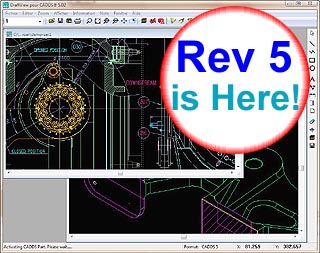
In many cases the solution for legacy CAD data is translation into other CAD systems. DraftView can export CADDS drawings using the popular DXF format. With a proven DXF translator, DraftView uses the latest technology to create superior CADDS to DXF translations. DXF exports can be done individually as needed, or in "batch" by the thousands. As a CADDS viewer, DraftView's distinct advantage over other translators is that you can view precisely what is being translated.
DraftView has an intuitive, easy-to-use interface. It can be installed and licensed on individual PCs, or "floated" from a network server.
With DraftView, accessing CADDS designs has never been easier or less expensive!
CLICK HERE to read more...

Capabilities
|
CADDS Viewing:
CADDS 3, CADDS 4X, CADDS 5, CADDS 5i®
Single and Double Precision CADDS parts
All Explicit Mode Entities
All Parametric Mode entities
All Draw, Detail and Model Mode entities
3D Model Views
All CADDS Text Fonts
CADDS Hidden Line Removal (HLR)
CAMU Component Part Selection
CADDS Output Capabilities:
Export CADDS as DXF, TIFF or JPG files
Batch Export CADDS as DXF
Command Line CADDS to DXF options
Export CADDS as PDF or HPGL files (via printer drivers)
Copy/Paste CADDS Images Into Other Windows Applications
Standard Viewing Features:
Pan and Zoom
Layer Visibility Control
Print and Batch Print
CADDS Markup
Rotate 3D Model Views
Measure Distances (3D, 2D, intersections, endpoints, etc)
Verify Entity Information
Count Entities
Supported File Formats:
CADDS _pd, _fd (all CADDS 4X, CADDS 5, CADDS 5i®)
BMP (Windows Bitmap Images)
DIB (Device-Independent Bitmap Images)
CAL, CG4, GP4 (CALS Group 4 Raster; Type I; MIL-STD-1840)
CGM (Computer Graphics Metafile - CALS Model)
COM (CADDS 3 Rev 8 and newer)
DWG (AutoCAD native format; AutoCAD 2.5 through AutoCAD 2002®)
DXF (AutoCAD Data Interchange format)
GIF (CompuServe's Graphical Image File format)
HPGL & HPGL/2 (Hewlett-Packard Graphics Language files)
JPEG (Photo imagery standard widely used on the internet)
PCX (PC-Paintbrush native format)
WMF (Windows meta files)
EMF (Enhanced Windows 95/NT meta files)
SLD (AutoCAD Slide files)
TIFF (Tagged image file format)
|
Pricing Information
Microsoft Windows® Version
(network or stand-alone)
|
Price Per
License (each)
|
| Description
|
1
|
2-3
|
4-6
|
7+
|
DraftView for CADDS Lite
(View & Print CADDS Only)
For those who only need to View or Print CADDS.
Translator not included.
|
$ 425
|
$ 305
|
$ 245
|
$ 200
|
DraftView for CADDS Unlimited
(Includes CADDS to DXF Translator)
View, Print and Batch Translate CADDS.
Translates CADDS to most CAD systems via DXF.
(CATIA users, see recommended add-on below).
|
$ 525
|
$ 380
|
$ 300
|
$ 245
|
DraftView for CADDS Unlimited
with CATIA® DXF Export Add-On 
Exports CADDS in DXF format that is compatible
with CATIA's Paper Space import requirements.
|
$ 975
|
$ 705
|
$ 560
|
$ 455
|
| Shipping & Delivery Options
|
Internet Download: No Shipping fee
($4 handling fee)
|
CDROM orders ship via Federal Express.
Within the U.S. and Canada add: $35
International orders add: $80
|
Purchase Online
Download Demo
|

